

Yes, Avori is an AI copilot that connects directly to existing Unity, Godot, and Unreal Engine projects. It indexes your code, scenes, and design documents to provide context-aware assistance. This guide covers how to integrate these tools, manage project context, and ensure secure, local-first development workflows.
MCP Integrations and Protocol Standards
Model Context Protocol (MCP) is an open standard that allows AI assistants to securely connect to external tools and data sources. In game development, MCP enables AI to inspect live editor states, read scene hierarchies, and execute specific engine actions. This protocol bridges the gap between static code generation and dynamic project awareness.
How MCP Enhances Game Development
Traditional AI tools often rely on text-only prompts, which limits their understanding of complex game architectures. MCP integrations allow the AI to query the editor directly. For example, an assistant can request the current node tree in Godot or the active GameObject hierarchy in Unity. This real-time data ensures that generated code respects existing project structures and naming conventions.
Avori's Approach to Context
Avori utilizes a local-first architecture to manage this context. Instead of sending entire codebases to external servers, Avori indexes your project locally. It then uses this index to provide relevant snippets to the AI model. This method reduces latency and ensures that sensitive game logic remains on your machine. The system supports multiple engines, allowing developers to switch between Unity, Godot, and Unreal without losing context continuity.
Unity, Godot, and Unreal Plugins
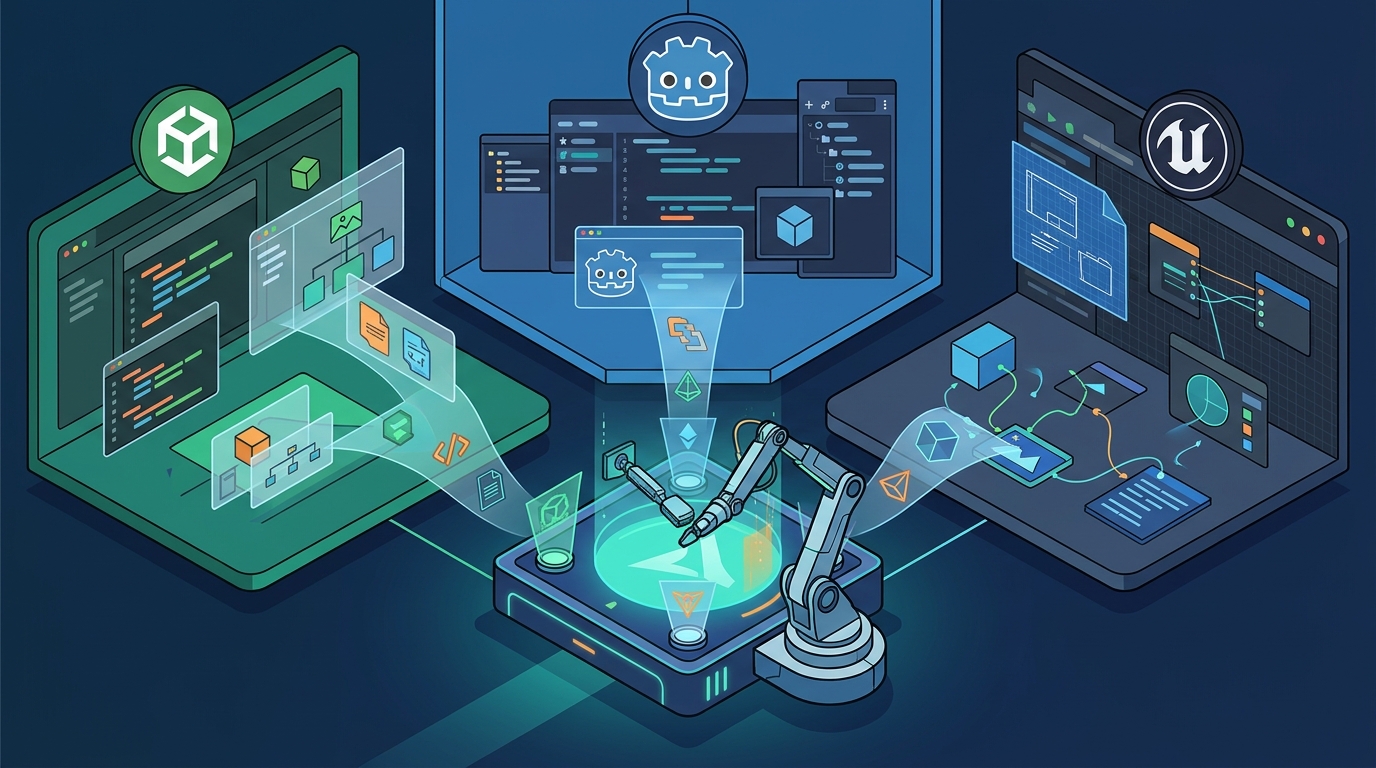
Avori provides dedicated plugins for Unity, Godot 4, and Unreal Engine. These plugins act as bridges between the AI hub and the game editor. They enable features such as scene inspection, script modification, and asset management. Each plugin is designed to work seamlessly with the specific workflows of its respective engine.
Unity Integration Details
The Unity plugin integrates with the editor to provide context-aware assistance for C# scripts and scene management. It can inspect serialized fields, prefab references, and Animator states. This is crucial because Unity bugs often involve a mix of code and editor setup. Avori helps identify these dependencies by analyzing the project structure and suggesting minimal, safe changes that preserve the existing architecture.
Godot and Unreal Support
For Godot, the plugin focuses on GDScript, nodes, and signals. It helps developers maintain clean separation of concerns by reasoning about node ownership and scene inheritance. In Unreal Engine, the plugin supports C++ and Blueprint workflows. It assists with actor/component boundaries and subsystem design. This ensures that AI-generated code fits into the modular architecture typical of Unreal projects.
Managing Project Context and GDDs
Effective AI assistance requires more than just code; it needs design intent. Avori allows developers to attach Game Design Documents (GDDs) in formats such as PDF, DOCX, and Markdown. The system indexes these documents to retrieve relevant mechanics, constraints, and tuning notes. This ensures that the AI understands not just how the code works, but why it works that way.
The Role of Project Rules
Project rules are explicit guidelines that developers define to guide AI behavior. These rules can specify naming conventions, architecture boundaries, and coding standards. By keeping these rules close to the implementation workflow, Avori reduces the need for repetitive prompting. Developers can define a set of rules once, and the AI will apply them consistently across all tasks.
Reviewing Proposed Changes
Avori emphasizes a reviewable workflow. Before any changes are applied to the project, the AI presents a plan that includes affected files, risks, and suggested tests. Developers can approve, modify, or reject these changes. This human-in-the-loop approach ensures that the AI acts as a copilot rather than an autonomous agent, maintaining developer control over the final product.
Security, Privacy, and Local-First Design
Security is a primary concern when integrating AI into commercial game projects. Avori is built with a local-first design, meaning that source code, design documents, and project memory stay under the developer's control. The system does not use user content for model training. This commitment to privacy is essential for protecting unreleased mechanics and proprietary game logic.
Data Handling and Encryption
All traffic between the Avori hub and external model providers is encrypted in transit using TLS. Local engine communication remains on the developer's machine. When cloud features are enabled, such as Cloud Loops, data is processed in isolated workspaces. Avori discloses exactly what data is processed and retained, ensuring transparency. This approach allows developers to leverage cloud capabilities without compromising the security of their local project data.
Key Takeaways
- Avori connects directly to existing Unity, Godot, and Unreal projects via dedicated plugins.
- The local-first architecture ensures that sensitive game code and design documents remain on the developer's machine.
- Project rules and GDD indexing provide the AI with the design context needed for accurate code generation.
- Developers retain full control through a reviewable workflow that requires approval before changes are applied.
- Avori supports multiple model funding options, including trial credits, prepaid balance, and personal API keys.
- The system is designed to reduce context switching by keeping design intent close to the implementation workflow.
- Security features include TLS encryption and a strict no-training policy on user content.
Frequently Asked Questions
Does Avori work with existing game projects?
Yes, Avori is designed to connect to existing Unity, Godot, and Unreal projects. It indexes the project structure and allows you to ask questions or request changes based on the current state of your game. according to Godot AI Godot
Is my game code used to train AI models?
No, Avori does not use your source code, design documents, or project context for model training. Your content remains private and is not shared with other users or used to improve the models.
Which game engines does Avori support?
Avori supports Unity, Godot 4, and Unreal Engine. It also integrates with popular IDEs like VS Code, Visual Studio, and JetBrains Rider for a seamless development experience.
How does Avori handle project context?
Avori indexes your project locally and allows you to attach Game Design Documents. It uses this context to provide relevant and accurate assistance, ensuring that the AI understands your specific project rules and design intent.
Can I use my own API keys with Avori?
Yes, Avori Pro includes Personal BYOK (Bring Your Own Key) access. You can connect your own API keys for providers like OpenAI, Anthropic, or Google, and your provider will bill the usage directly.
Is Avori available for macOS?
Currently, the Avori installer is available for Windows. The macOS version is coming soon. In the meantime, Avori Pro users can access browser-based features to work on their projects from any device.